Dashboard
The Dashboard is the first screen you see after logging in. It provides an overview of your cellar at a glance.
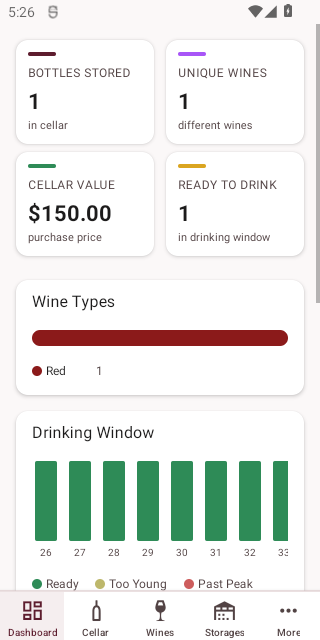
Overview Stats
Four stat cards are displayed at the top:
| Stat | Description |
|---|---|
| Total Bottles | Number of bottles currently stored in your cellar |
| Unique Wines | Number of distinct wines across stored bottles |
| Cellar Value | Total purchase price of all stored bottles |
| Ready to Drink | Bottles currently within their drinking window |
Charts
- Wine Type Breakdown — Donut chart showing bottle proportions by type (red, white, rose, sparkling, etc.)
- Drinking Window Timeline — Stacked bar chart showing bottle distribution across drinking windows
- Cellar Value Over Time — Area chart tracking cumulative cellar value based on purchase dates
Lists
- Drinking Suggestions — Bottles approaching the end of their drinking window
- Top Rated Wines — Highest-rated wines based on tasting note scores
- Recent Activity — Timeline of latest purchases and tasting notes