Tasting Notes
Tasting notes record your impressions of a wine. Each note is associated with a vintage and includes a score and written notes.
List View
Access Tasting Notes from More > Wine Data > Tasting Notes.
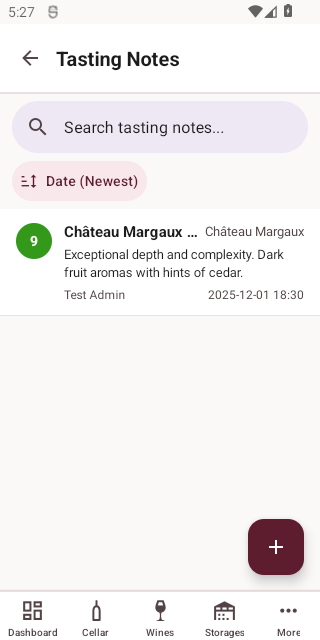
Each tasting note card shows the wine name, vintage year, score, date, and author.
Creating a Tasting Note
Tap the + button to add a new tasting note.
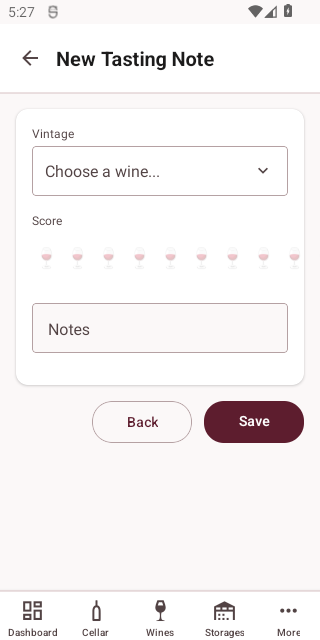
| Field | Required | Description |
|---|---|---|
| Vintage | Yes | The vintage being tasted |
| Date | Yes | When the tasting took place |
| Score | Yes | Rating from 1-10 using the wine glass scale |
| Notes | No | Your tasting impressions |
Viewing a Tasting Note
Tap a tasting note to see its full details.
Deleting a Tasting Note
Tap Delete on the detail screen. You will be asked to confirm.
WARNING
Deleting a tasting note is permanent and cannot be undone.