Storages
Storages represent physical storage units within a location. They can be organised in a hierarchy (e.g. Room > Rack > Shelf).
List View
The Storages tab shows all storage units in a tree view, grouped by location.
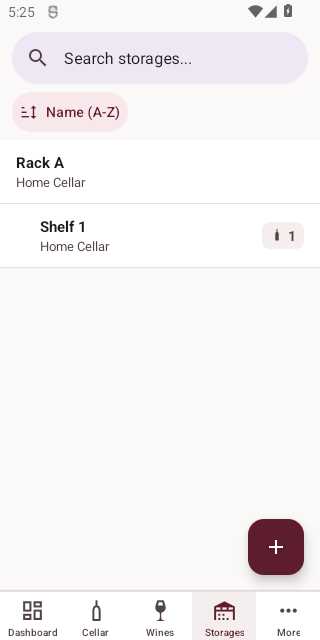
Each storage displays its name, parent hierarchy, and the number of bottles stored.
Sorting
Sort by name or bottle count using the sort controls.
Filtering
Filter storages by location.
Creating a Storage
Tap the + button to add a new storage unit.
| Field | Required | Description |
|---|---|---|
| Name | Yes | The storage unit's name |
| Location | Yes | The location — select from existing locations |
| Parent | No | Parent storage unit for hierarchical organisation |
Viewing and Editing
Tap a storage to view details (including bottles stored), then tap Edit to modify.
Deleting a Storage
Tap Delete on the detail screen. You will be asked to confirm.
WARNING
Deleting a storage will also update or remove bottles stored in this location.