Navigation
CellarBoss Mobile uses a bottom tab bar for primary navigation, with additional screens accessible through the More menu.
Tab Bar
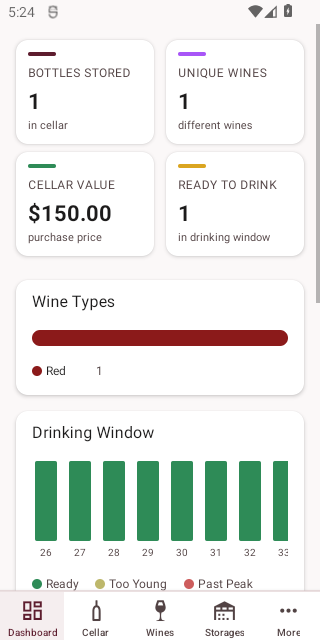
The bottom tab bar provides quick access to the most-used screens:
| Tab | Description |
|---|---|
| Dashboard | Cellar overview, stats, and charts |
| Cellar | Browse and manage your bottle collection |
| Wines | Browse and manage your wine catalogue |
| Storages | View and manage storage hierarchy |
| More | Access all other screens and settings |
More Menu
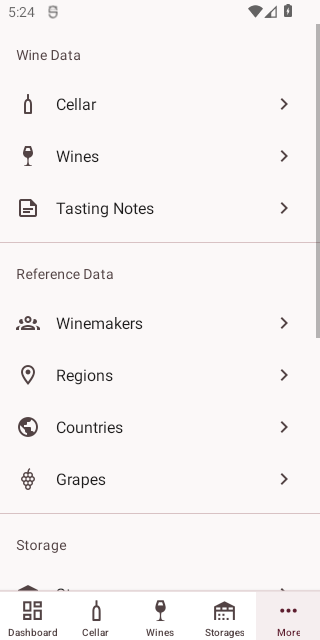
The More tab provides access to all remaining sections:
| Section | Items |
|---|---|
| Wine Data | Cellar, Wines, Tasting Notes |
| Reference Data | Winemakers, Regions, Countries, Grapes |
| Storage | Storages, Locations |
| Account | Profile, Sign Out |
Screen Navigation
- Tap any list item to view its details
- Use the back arrow at the top to return to the previous screen
- Use the + floating action button on list screens to create new records