Wines
Wines are the core entity in CellarBoss. Each wine has a name, type, and is associated with a winemaker and region.
List View
The Wines tab shows all wines in a searchable, sortable list.
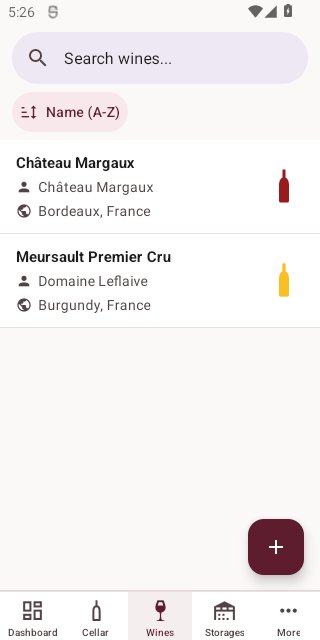
Each wine card displays the name, type indicator, winemaker, and region.
Sorting
Sort by name, winemaker, or type using the sort controls.
Filtering
Filter wines by type, winemaker, or region.
Creating a Wine
Tap the + button to add a new wine.
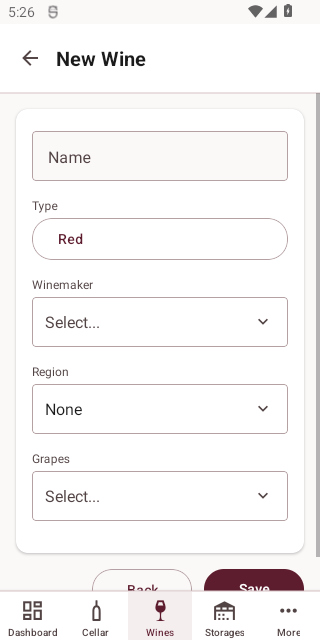
| Field | Required | Description |
|---|---|---|
| Name | Yes | The wine's name |
| Type | Yes | Wine type (red, white, rose, sparkling, etc.) |
| Winemaker | Yes | The producer — select from existing winemakers |
| Region | Yes | The wine region — select from existing regions |
Viewing a Wine
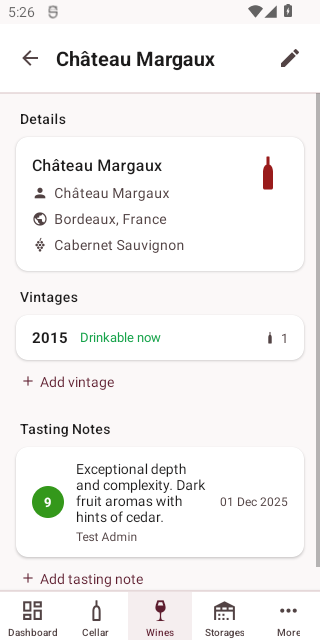
Tap a wine in the list to view its details, including associated vintages.
Editing a Wine
Tap Edit on the detail screen to modify the wine's information.
Deleting a Wine
Tap Delete on the detail screen. You will be asked to confirm before deletion.
WARNING
Deleting a wine will also remove all associated vintages and bottles. This action cannot be undone.