DataTable Features
Most resource pages in CellarBoss display data in an interactive table with search, filtering, sorting, pagination, and bulk actions.
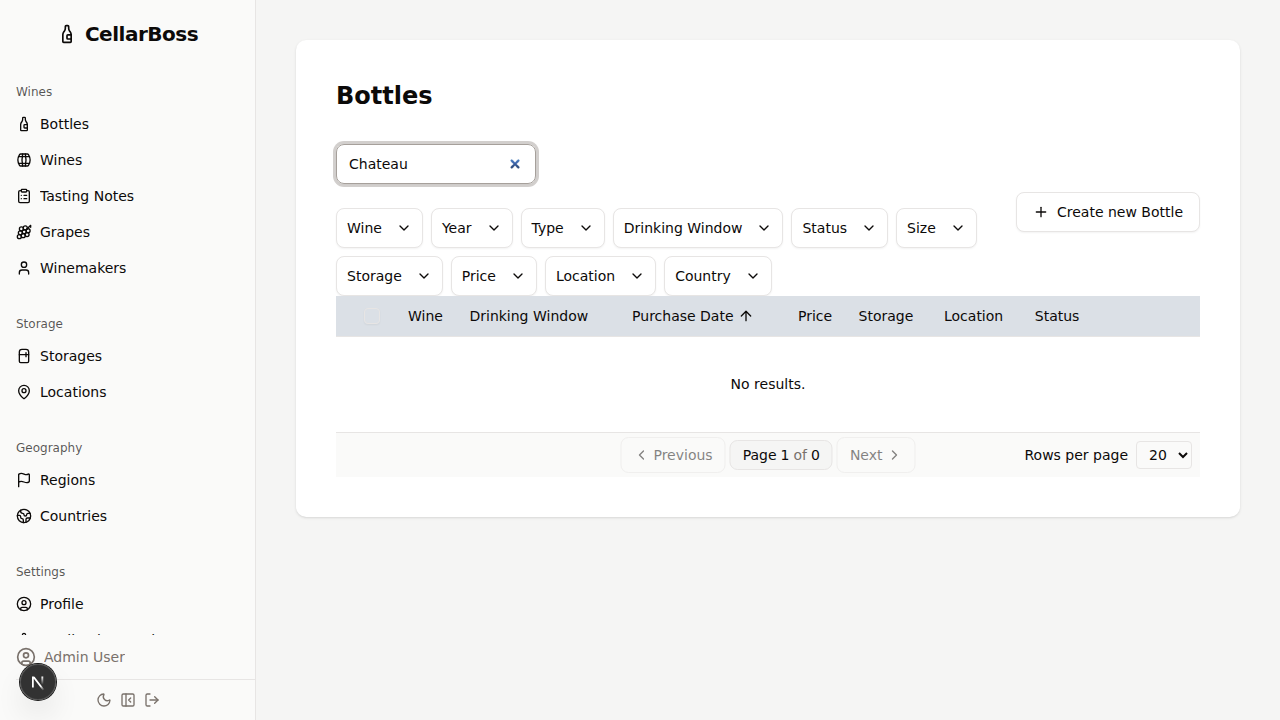
Search
Type in the search box above the table to filter rows by text content. The search query is stored in the URL, so you can bookmark or share filtered views.
Filtering
Click Filters above the table to open the filter panel. Pick a filter from the list on the left, then select one or more values (or enter a minimum and maximum for ranges) to narrow the displayed results. Each active filter appears as a tag next to the Filters button; click its ✕ to remove it, or use Clear all to reset every filter.
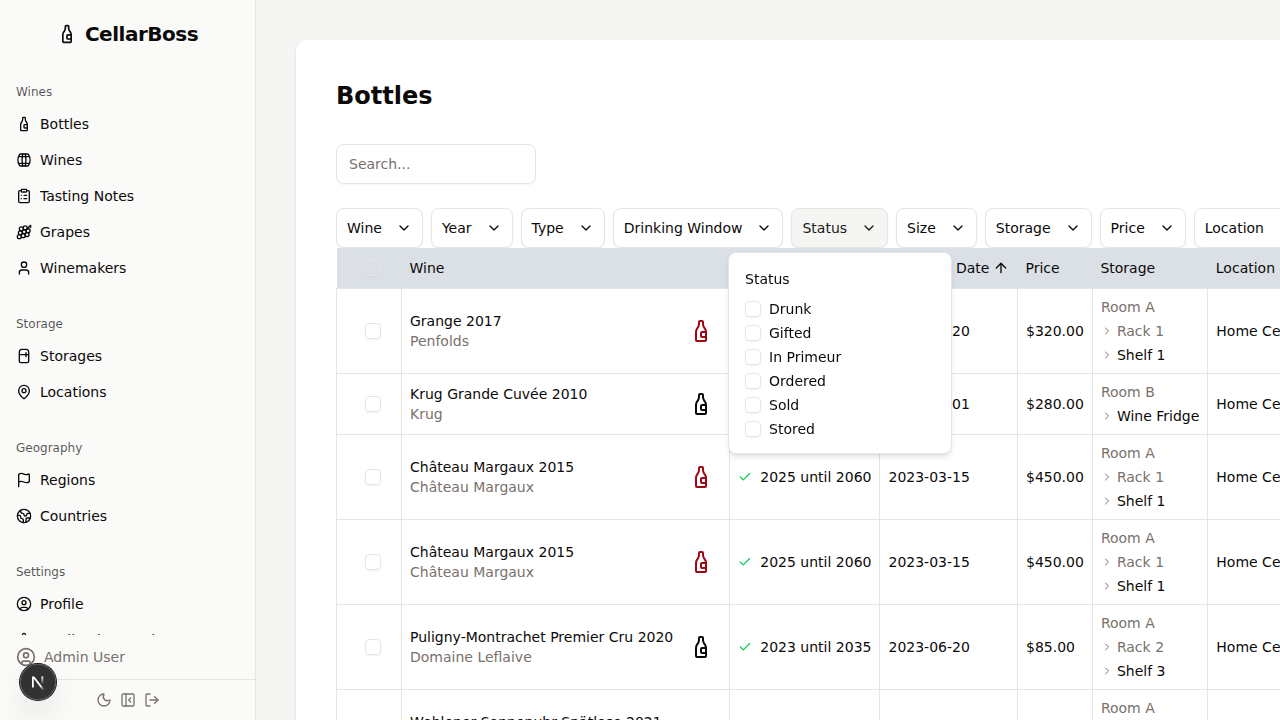
Some filters display options in groups. For example, the wines table groups winemaker options by country.
Sorting
Click any column header to sort by that column. Click again to reverse the sort order. A sort indicator appears next to the active column header.
Pagination
Use the pagination controls at the bottom of the table to navigate between pages. The page size and current page are stored in the URL.
Bulk Actions
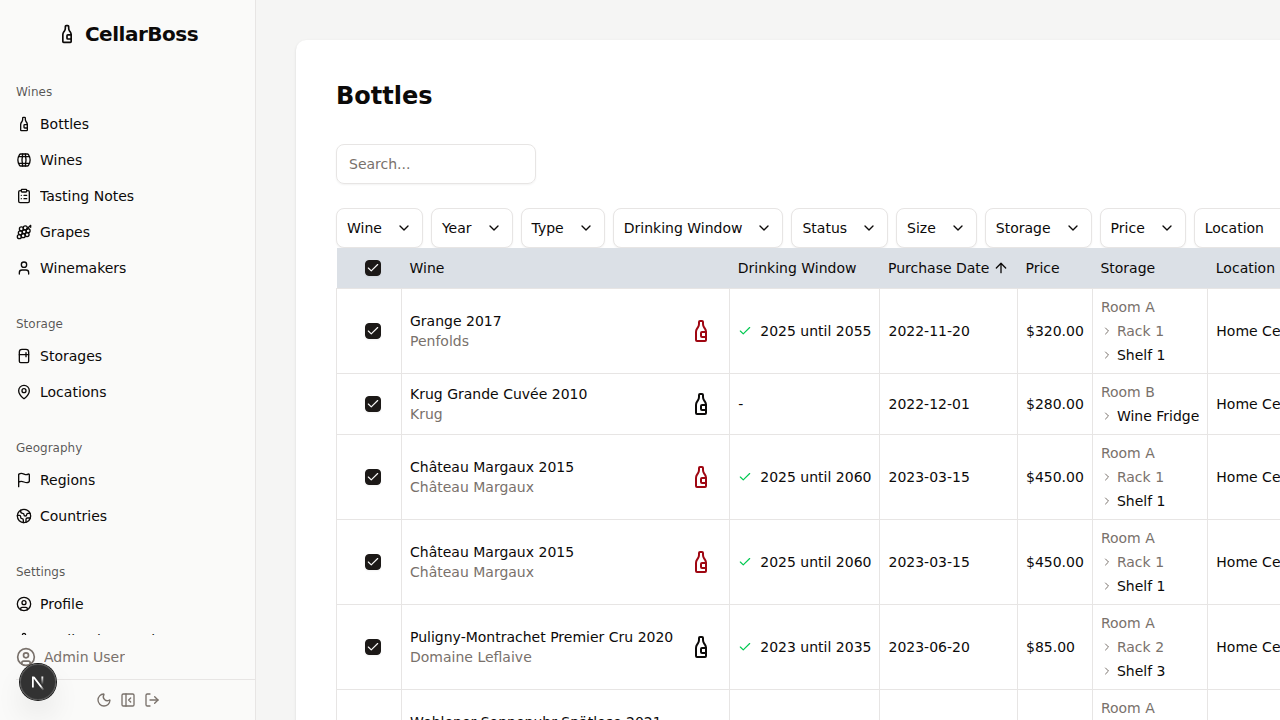
Select multiple rows using the checkboxes on the left side of the table. When rows are selected, bulk action buttons appear above the table.
Row Actions
Each row may have action buttons on the right side for quick access to view, edit, or delete operations.
Configure Table
Click the Configure Table button below the table to customize which columns are shown and in what order.
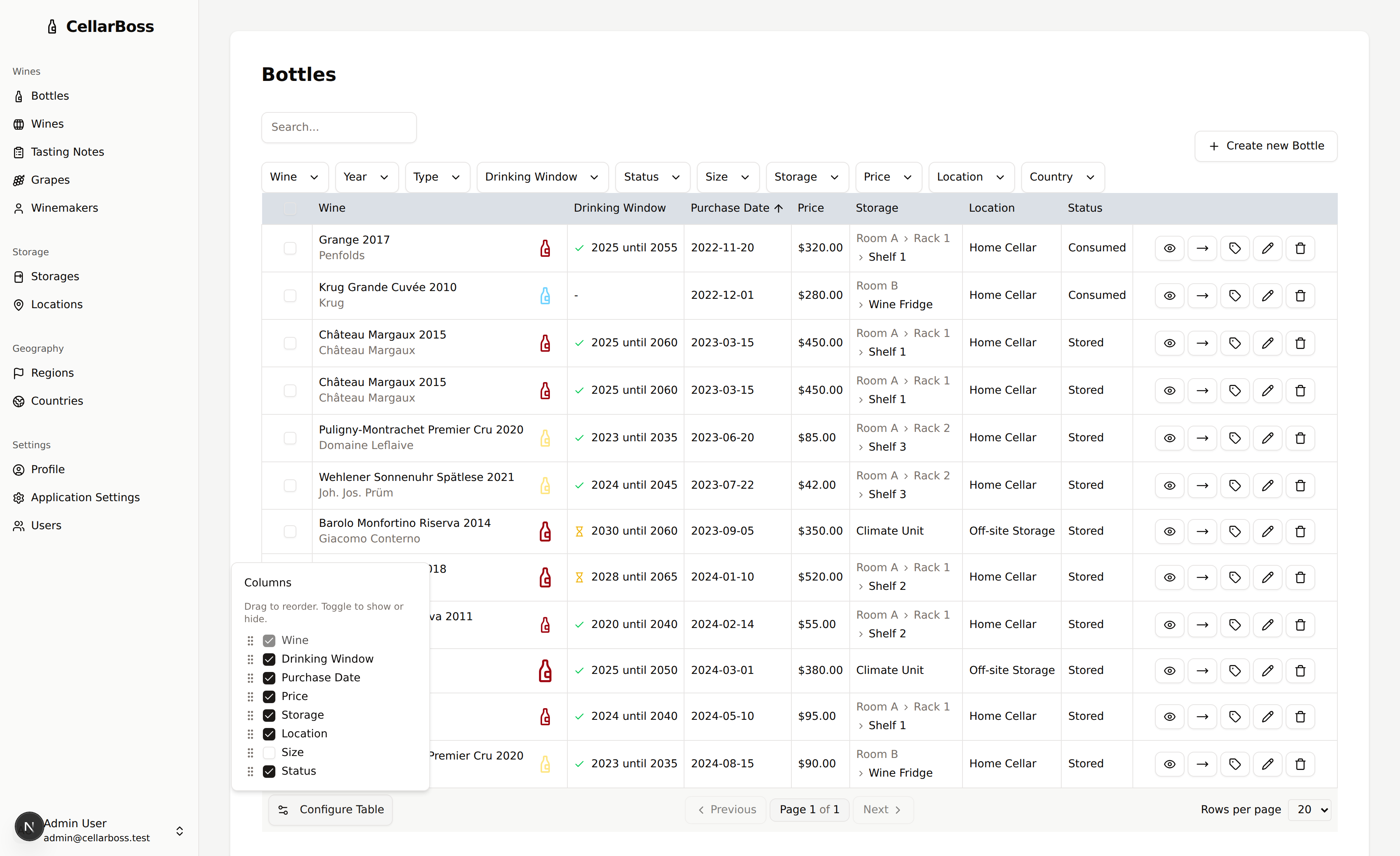
- Show or hide columns — Toggle the checkbox next to a column name to control whether it appears in the table. Some columns are always shown and cannot be hidden.
- Reorder columns — Drag a column by its handle to move it left or right in the table. You can also reorder using the keyboard: focus a handle and use the arrow keys.
Your column visibility and ordering choices are saved to your preferences, so the table looks the same the next time you visit.
URL State
All table state — search text, active filters, current page, and page size — is stored in the URL using query parameters. This means:
- You can bookmark a filtered view and return to it later
- You can share a link to a specific filtered view with other users
- Browser back/forward navigation works with table state changes