Import from a Link
Instead of typing a wine in by hand, you can paste a link to it on a shop's website. CellarBoss reads the page and fills in the wine and vintage for you to check before saving.
Importing a wine
- On the Wines list, click Import from link.
- Paste the link to the wine's product page and click Get details.
- Check the form, change anything that's wrong, and click Save.
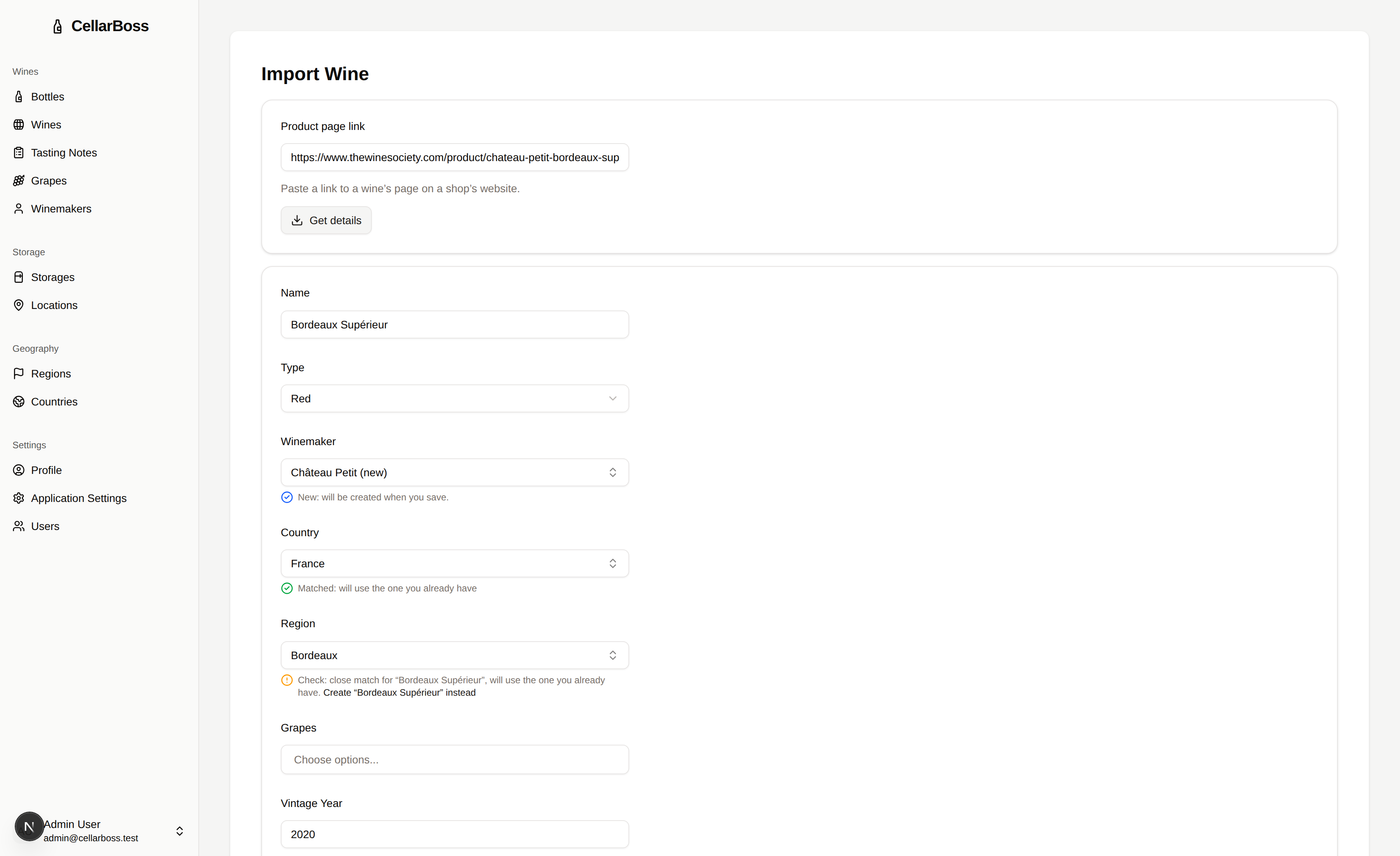
Saving creates the wine and its vintage, along with any new winemaker, country, region or grapes, and opens the new vintage so you can add bottles straight away.
Supported shops
Importing works best with The Wine Society, Naked Wines and Vivino, which CellarBoss knows how to read. Many other shops publish their product details in a standard format, so their links often work too.
Checking what was found
Each winemaker, country, region and grape is matched against what's already in your cellar, and a note with a coloured icon under the field says what will happen:
| Icon | Note | Meaning |
|---|---|---|
| Green tick | Matched | The page's value matches one you already have, and that one will be used. |
| Blue tick | New | Nothing similar exists, so a new one will be created when you save. |
| Yellow exclamation | Check: close match for "…" | The page's value is similar to one you already have, and that one is selected. Click Create "…" instead if it's really a different one. |
| Yellow exclamation | Check | The page didn't say this clearly, so it's worth a look. |
| Grey reset arrow | Changed from what the page said | You picked a different value. Click Reset to "…" to go back to what the import found. |
You can pick a different value in any field, or type a new name in a selector and choose Create "…". If you change a winemaker, country, region or grapes by mistake, click Reset to "…" under the field to go back to what the import found.
When you already have the wine
- The wine exists but not this vintage: only the vintage fields are shown, and saving adds the vintage to your existing wine. Click Not this wine if it's a different wine with the same name.
- The vintage exists too: nothing is created. Click Open vintage to go to it and add bottles.
When a link doesn't work
If CellarBoss can't read the page, you'll see "Couldn't get details from this link" and an empty form to fill in yourself. Some shops block requests from servers, so their links may never work.
For server operators
The page is fetched by your CellarBoss server, which identifies itself as CellarBoss. It only connects to public internet addresses. To send these requests through a proxy, set IMPORT_PROXY_URL, or the standard HTTPS_PROXY variables. See the privacy policy for what is logged.